# VpkBuilder: A CLI Utility for creating VPK files
Table of Contents
Packing a mod or a build into .vpk files means deciding which directories go in, which files get excluded, whether the pack needs to be split into chunks, whether it needs to be signed, and then actually running vpk.exe with the right flags. Doing that by hand or with a custom script, doesn’t scale — and it’s easy to forget a flag, not using the lastest script or leave a stale file in the pack.
VpkBuilder wraps that entire process into a single command and a config file.
vpkbuilder.exe -game "C:/Games/MyMod/mygame"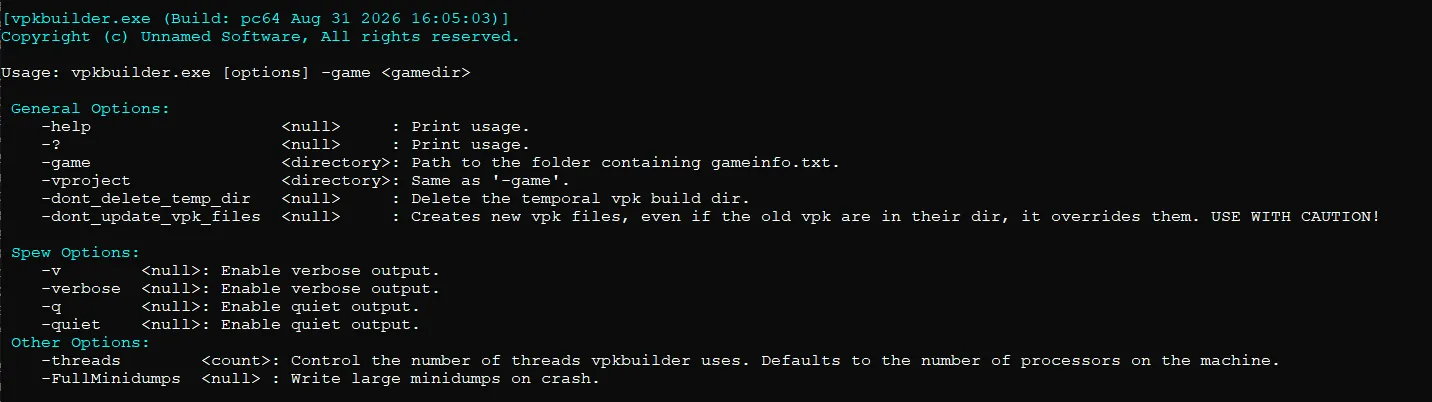
What it does
VpkBuilder reads a KeyValues script (scripts/tools/vpkbuilder_settings.txt) that defines one or more VPKs to build. For each one it collects the right files, stages them in a temp directory, calls vpk.exe to pack them, and moves the result to the output directory — cleaning up after itself when it’s done.
It’s the same philosophy as MapBuilder: the process is defined once, in a config file, and every person or automated system that runs vpkbuilder.exe -game <dir> gets the exact same result.
Example of scripts/tools/vpkbuilder_settings.txt file:
"VpkBuilder"{    "VpkTempDir"            "_buildvpk"     // Relative to the game dir. Full paths are also supported    "VpkPrivateSignKey"     "../../../../src/devtools/sign/vpksignature.privatekey.vdf"    // This is always relative to the path of this file.    "VpkPublicSignKey"      "../../../../src/devtools/sign/vpksignature.publickey.vdf"
    // Structure: Every new key is a vpk to be created    // "<vpkname>"    // {    //      "GenerateVpkMultiChunk"             "<boolean>"             // If set to 1 it will generate multichunk vpk files    //      "VpkMultiChunkSize"                 "<unsigned integer>"    // Size of the vpk chunk in MB    //      "VpkAlignBuild"                     "<unsigned integer>"    // Padding of the files inside the vpk, if set to anything greated than 0 needs to have enabled the VpkUseFriendlySteamPipeAlgorithm    //      "VpkUseFriendlySteamPipeAlgorithm"  "<boolean>"             // Enable friendly steam pipe shit    //      "VpkOutDir"                         "<directory>"           // Where we put the vpk after the build (always relative to the game dir)    //    //     // This is a whitelist, if you want your to add some files, dir and more shit to the vpk put it in this KeyValue    //     // Everything is relative to the gamedir    //     "VpkFiles"    //     {    //         "DirAddAll"         "materials"         // Adds all the files inside the dir into the vpk. These files will be present in the vpk no matter whats in the VpkExcludeFiles KeyValue    //         "DirConditional"    "vgui"              // Adds the file in this dir, but these files can later be removed by the presets in the VpkExcludeFiles KeyValue    //         "Glob"              "vgui/**/*.vmt"     // Glob Pattern, add only the desired filed, the VpkExcludeFiles KeyValue can remove these some of these files.    //         "File"              "test.vmt"          // For adding single files, the VpkExcludeFiles KeyValue cannot exclude this file.    //     }    //    //     // This is a    //     "VpkExcludeFiles"    //     {    //         "Dir"       "materials"      // Exclude this directory from the vpk.    //         "Glob"      "vgui/**/*.vmt"  // Glob Pattern, exclude the files matching this pattern.    //         "File"      "test.vmt"       // For removing single files.    //     }    // }
    "platform"    {        "GenerateVpkMultiChunk"             "1"        "VpkMultiChunkSize"                 "100"        "VpkUseFriendlySteamPipeAlgorithm"  "1"        "VpkOutDir"                         ""        "VpkAlignBuild"                     "1"
        "VpkFiles"        {            "DirAddAll"         "cfg"            "DirAddAll"         "maps"            "DirAddAll"         "materials"            "DirAddAll"         "media"            "DirAddAll"         "models"            "DirAddAll"         "particles"            "DirAddAll"         "resource"            "DirAddAll"         "sound"            "DirAddAll"         "sound"            "DirAddAll"         "soundscapes"            "DirAddAll"         "soundscript"            "DirAddAll"         "surfaceproperties"        }
        "VpkExcludeFiles"        {            // Safe guard, just in case someone add these files by error            "Dir"       "bin"            "Dir"       "tools"            "Dir"       "shaders"            "Glob"      "/**/*.bat"            "File"      "gameinfo.txt"            "File"      "thirdpartylegalnotices.txt"        }    }
    "shaders"    {        "GenerateVpkMultiChunk"             "1"        "VpkMultiChunkSize"                 "50"        VpkUseFriendlySteamPipeAlgorithm    "1"        "VpkOutDir"                         ""        "VpkAlignBuild"                     "1"
        "VpkFiles"        {            "DirAddAll"         "shaders"        }
        "VpkExcludeFiles"        {        }    }}
Defining a VPK
Each top-level key in the settings file is the name of a VPK to build. Inside it, a VpkFiles block controls what goes in:
| Key | Behavior |
|---|---|
DirAddAll | adds every file in a directory (recursively), unconditionally |
DirConditional | adds every file in a directory, but the files can still be excluded later |
Glob | adds files matching a glob pattern |
File | adds a single file |
The distinction between DirAddAll and DirConditional matters: files added with DirAddAll go into a separate static list that the exclude step never touches. Everything else can still be filtered out afterward.
A VpkExcludeFiles block runs after that, supporting Dir, Glob, and File keys the same way, to remove anything that shouldn’t ship.
Update mode vs full rebuild
By default, VpkBuilder looks for existing .vpk files matching the target name in the output directory. If it finds them, it copies them into the temp build directory first, so vpk.exe updates the existing pack instead of building from scratch. -dont_update_vpk_files skips that and forces a clean rebuild — the settings file has a warning attached to it for a reason, since it overwrites whatever was there.
Signing
If VpkPrivateSignKey and VpkPublicSignKey are set in the settings file, VpkBuilder resolves both key paths relative to the settings file’s own directory, verifies they exist, and passes them to vpk.exe with -K/-k for every VPK it builds. If either key is missing, the tool prints a warning and builds unsigned packs instead of failing outright.
Implementation
The build for each VPK follows the same sequence:
-> Resolve existing VPKs (update mode) or start clean-> Copy all included files into a per-VPK temp directory-> Build the vpk.exe command line (align, chunking, signing flags)-> StartExecutable() and wait for it to finish-> Move the resulting .vpk(s) to the output directory-> Delete the temp directory (unless -dont_delete_temp_dir)Why this matters for a pipeline
Every VPK in a shipped build needs the same care: the right files, nothing stale, correctly chunked and signed if that’s required. Without a standardized tool, that’s a manual vpk.exe script invocation someone has to remember, per pack, per build. VpkBuilder makes it declarative — the config says what a VPK contains, and -game <dir> is the only thing that changes between a developer’s machine.
Example in action
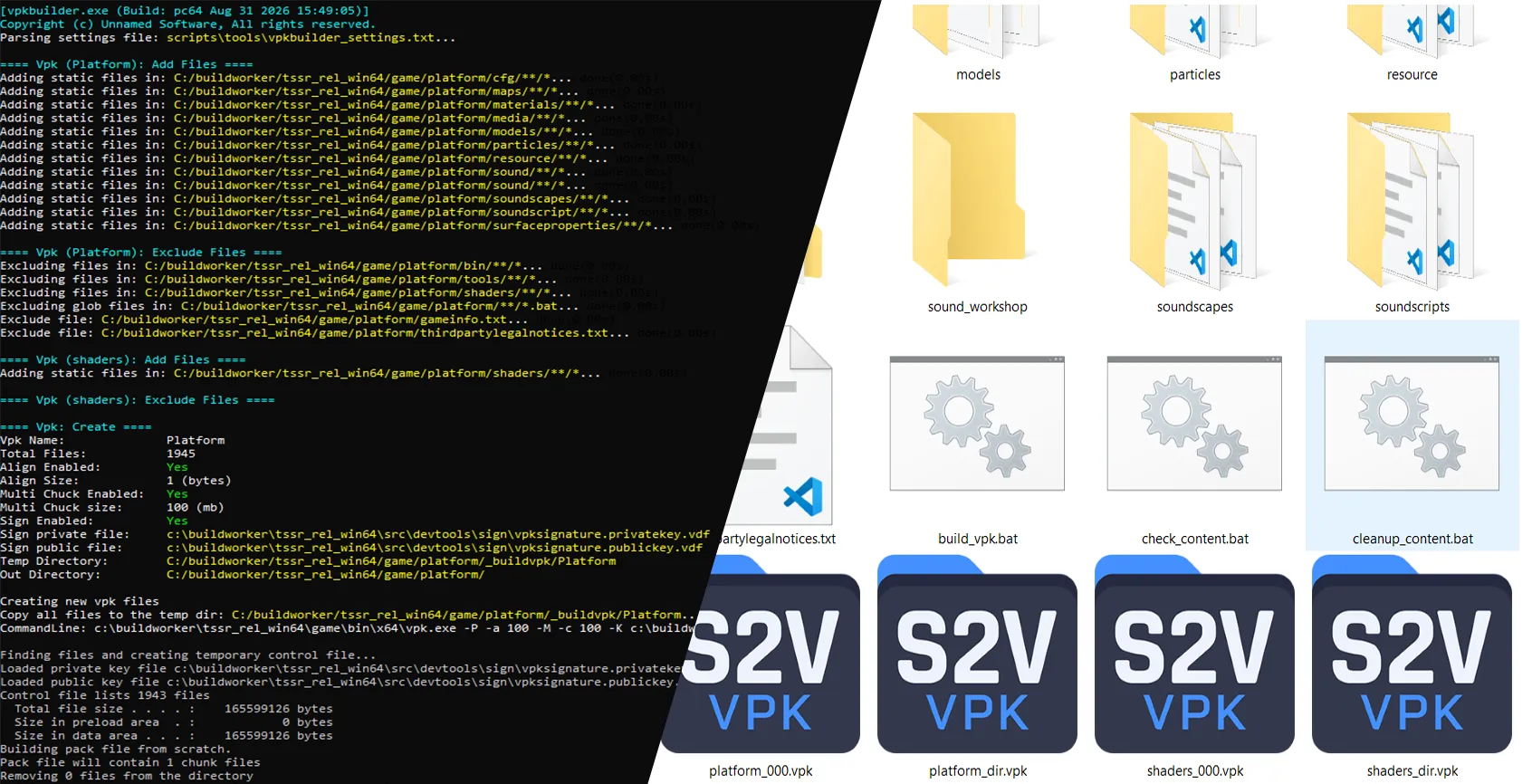
- vpkbuilder.exe building and signing a multi-chunk VPK from the settings file
Part of an ongoing series on the custom Source Engine tooling I’m building for my game. More tools and systems coming.